AI Model
Generate realistic model photos from your product/clothing images with AI
Upload Clothing
Product photo (flat lay, hanger, or on model)
Upload a clothing or product image to get started
History
Generate realistic model photos from your product/clothing images with AI
Sign in to start generating images
AI-powered model photo generation
Transform your flat lay and product photos into professional model shots instantly. Perfect for e-commerce, fashion brands, and marketing.
Realistic Model Photos
Our AI generates natural-looking model photos that faithfully reproduce your clothing's color, pattern, and details.
Lightning Fast
Get professional model shots in seconds. No need for expensive photoshoots — just upload your product image.
Multiple Styles
Choose from studio, outdoor, or street settings. Select male or female models to match your brand's target audience.
How to generate AI model photos
Upload product image
Upload a flat lay, hanger shot, or any product photo of your clothing item.
Choose preferences
Select model gender, scene style, and optionally add a prompt for specific styling.
Get your model photo
Our AI generates a realistic model wearing your exact clothing. Download and use instantly.
Frequently Asked Questions
How AI Model turns flat-lay or hanger shots into realistic on-model photos for fashion brands and marketplaces.
What inputs work for AI Model?
Flat-lay shots, ghost-mannequin photography and hanger shots all work well. You give the AI a clear picture of the garment, optionally a body type / demographic preference, and the model renders an on-model photo with realistic pose, fit and lighting. No real photo shoot or model casting required.How is this different from Virtual Try-On?
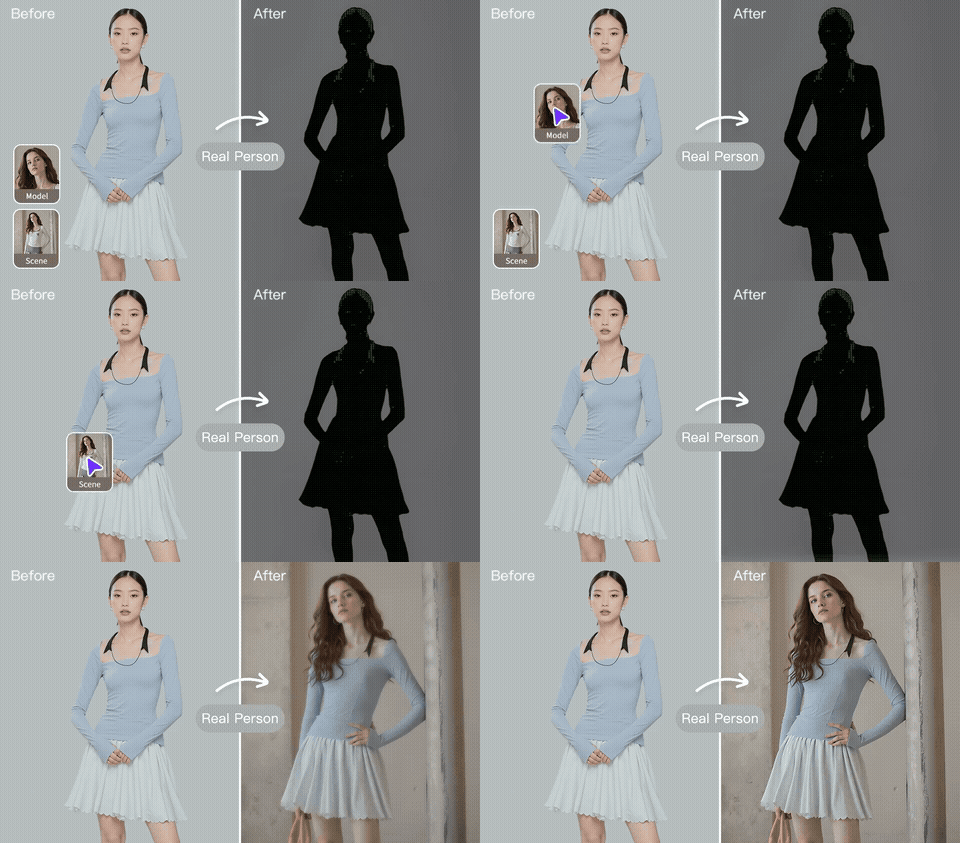
AI Model creates the model from scratch — you only need a garment image. Virtual Try-On dresses an existing model photo you provide. Use AI Model when starting from product-only photography; use Virtual Try-On when you already have a model and want to try a new outfit on them.Can I control the model's gender, age, ethnicity and pose?
Yes. The tool exposes controls for gender presentation, age range, ethnicity, body type and pose style (standing, three-quarter, walking, seated). This lets brands generate consistent imagery for different markets and campaigns from a single product photo.Will the garment fit and drape look realistic?
Yes — the model warps fabric to the chosen pose and adds correct shadows, wrinkles and stretch points. Highly structured items (corsets, suit jackets, tailored coats) look best at front-facing or three-quarter angles. Loose knits and t-shirts work in any pose.Are the AI-generated models safe to use commercially?
Yes — the people are fully synthetic, with no resemblance to specific real individuals. You hold commercial rights to the output, including paid ads, print campaigns and marketplace listings. Some platforms (TikTok, Meta) require AI-generated imagery to be labelled — check current rules in your region.How fast is it compared to a traditional photo shoot?
Each render takes 20–60 seconds. A typical brand can create dozens of model variants in the time it takes to set up lighting for a single traditional shoot, at a fraction of the cost. Many DTC brands use it to A/B-test imagery before committing to a full shoot.
Explore More AI Tools
Pair this tool with the rest of the BgRemovit toolkit to ship higher-quality work in less time.
Virtual Try-On
See clothing on any model image in seconds — perfect for fashion catalogs.
Swap Model & Background
Re-shoot product photos with new models or environments without a studio.
Image Background Swap
Replace any background with a new scene — realistic lighting & shadows.