Swap Model & Background
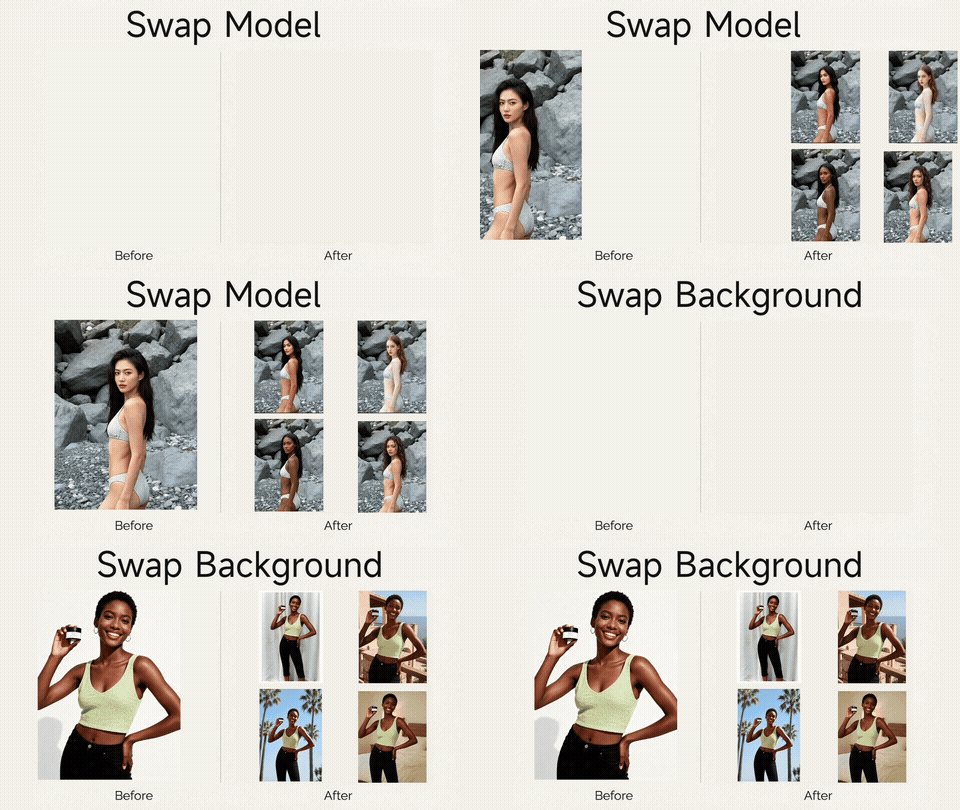
Replace the model or background in your product photos with AI
Upload Original
Product photo with existing model/background
New Model
Replacement person/face (optional)
New Background
Replacement scene/environment (optional)
Upload an original photo and at least one of new model or new background
History
Replace the model or background in your product photos with AI
Sign in to start generating images
AI-powered model & background swapping
Transform your product photos by swapping models and backgrounds instantly. Perfect for e-commerce, fashion, and marketing.
Realistic Composites
Our AI seamlessly blends the new model or background into your product photo, creating a natural-looking result.
Lightning Fast
Get your swapped photo in seconds. Upload your images and let AI do the heavy lifting — no manual editing needed.
Flexible Options
Swap just the model, just the background, or both at once. Works with any product type — clothing, accessories, and more.
How to swap model & background
Upload original photo
Upload the product photo with the current model and/or background you want to change.
Add new model or background
Upload a new model photo, a new background, or both. At least one is required.
Get your result
Our AI generates a realistic composite with the swapped elements. Download and use instantly.
Frequently Asked Questions
Common questions about swapping the model or background in product photos using BgRemovit's AI compositor.
When should I use Swap Model & BG instead of Virtual Try-On?
Use Swap Model & BG when you already have a great on-model shot but need a different model (e.g. localising for a new market) or a different scene (studio → outdoor lifestyle). Use Virtual Try-On when you have a flat garment photo and want to put it on a model. Use AI Model when you only have a flat lay and need a model created from scratch.Will the new composite look like a real photograph?
Yes — the AI re-lights the swapped subject to match the new background's light direction, colour temperature and shadow style. For very dramatic lighting (rim light, neon) you may want to nudge the result through our Image Enhancer to clean up edge halos. Most e-commerce flat-lit scenes look indistinguishable from a real shoot.Can I keep the same product but show it on different model demographics?
That's one of the most common use cases. You can render the same hoodie on a male, female or non-binary model, change ethnicity for regional markets, or age the model up or down — all from one source photo, in minutes. Always be respectful and accurate about who your customers are.What input quality do I need?
A clean shot at 1024 px or higher works well. Make sure the original subject isn't heavily occluded by the background you want to remove. If the source has motion blur or noise, run it through our Image Enhancer first for cleaner composites.Can I use the output for paid ads on Meta, TikTok or Google?
Yes. Output you generate is yours to use across paid social, display, search and offline media. Disclose AI generation if the platform requires it (some regions and political-ad rules now mandate this).How is privacy handled when I upload model photos?
All uploads are encrypted in transit and at rest, and deleted within 24 hours. We do not train on customer images. For agencies handling client photography under NDA, contact support about a zero-retention enterprise tier.
Explore More AI Tools
Pair this tool with the rest of the BgRemovit toolkit to ship higher-quality work in less time.
AI Model Generator
Turn flat-lay or hanger shots into on-model photos without a real shoot.
Image Background Swap
Replace any background with a new scene — realistic lighting & shadows.
Virtual Try-On
See clothing on any model image in seconds — perfect for fashion catalogs.