When managing fire control Battleship Command forces players to juggle two entirely different, overlapping crises: calculating precise firing solutions to destroy the enemy, and literally extinguishing deck fires to save your own ship. To put out fires and handle damage control effectively, you must physically step away from the gunnery optics, pull up the ship’s damage interface, assign repair crews to burning sectors, and isolate flooded compartments. Mastering this dual-layered system is the only way to keep the Scharnhorst afloat and maneuverable during intense Atlantic convoy raids.
Most naval simulators treat damage as a passive red health bar. In this newly released Early Access title—launched on June 2, 2026, by solo developer Bracer and publisher MicroProse—damage is a creeping, mechanical catastrophe that requires active, first-person management. You aren't just an omniscient commander clicking on a map; you are a captain standing on a burning bridge, trying to keep your warship from turning into a steel coffin.
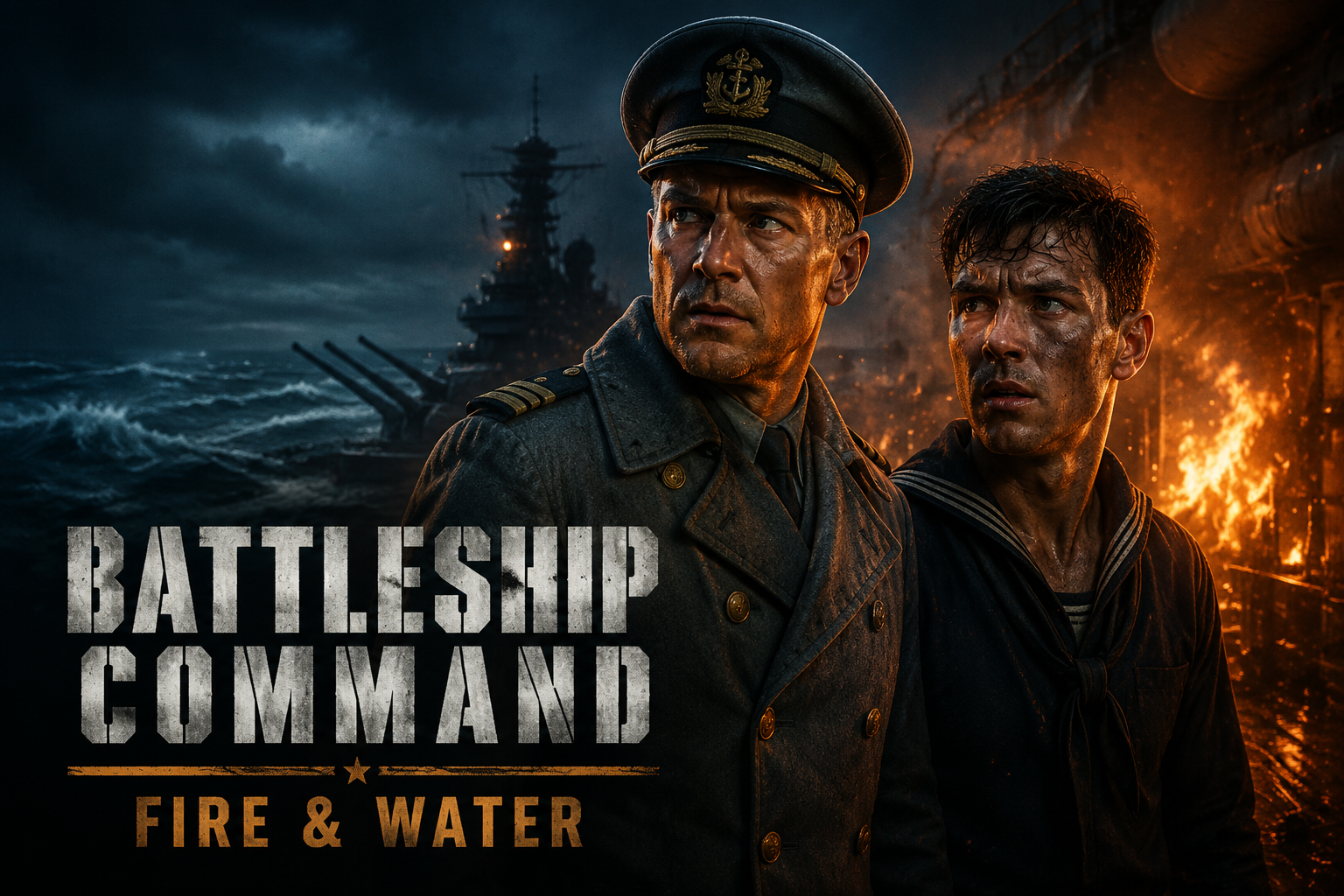
The Dual Meaning of Fire Control in Battleship Command
In strict naval terminology, "fire control" refers to the complex system of optical rangefinders, early radar, and analog computers used to aim the ship's main battery. You spend a significant portion of the game in the fire control room, taking readings, adjusting for target speed, and waiting for the gyros to stabilize before unleashing a broadside.
But when players search for help with fire control in this game, they are usually panicking about a literal fire raging across their wooden decks. The brilliance of Battleship Command is how it forces these two systems into conflict. You are playing in first-person. You can walk the meticulously recreated decks, stand on the bridge, and look out over the bow of your 30,000-ton warship. When an enemy cruiser lands a high-explosive shell on your superstructure, the game doesn't just subtract hit points. It starts a localized fire.
If left unchecked, that fire will spread, destroy secondary modules, cook off ammunition, and eventually doom the ship. Therefore, literal fire control—extinguishing the flames—is just as critical as aiming your 28cm guns. The tension of having to leave the targeting optics to sprint to the damage control board while enemy shells splash around you is what makes the game a true successor to classics like Silent Hunter, but scaled up for surface warfare.
Mastering Fire Control: Battleship Command Damage Systems
To survive the North Sea, you need to deeply understand the Scharnhorst Class damage layout. The ship is divided into distinct compartments and sectors, each vulnerable to different types of catastrophic failure: deck fires, hull breaches, pump failure, magazine risk, and maneuver loss.
Because the Scharnhorst was built with a robust "turtleback" armor scheme, enemy shells at close range will often bounce off the main armored citadel. However, this means the unarmored upper works—the superstructure, the secondary batteries, and the radar masts—take the brunt of the high-explosive damage. This design philosophy directly influences your damage control strategy.
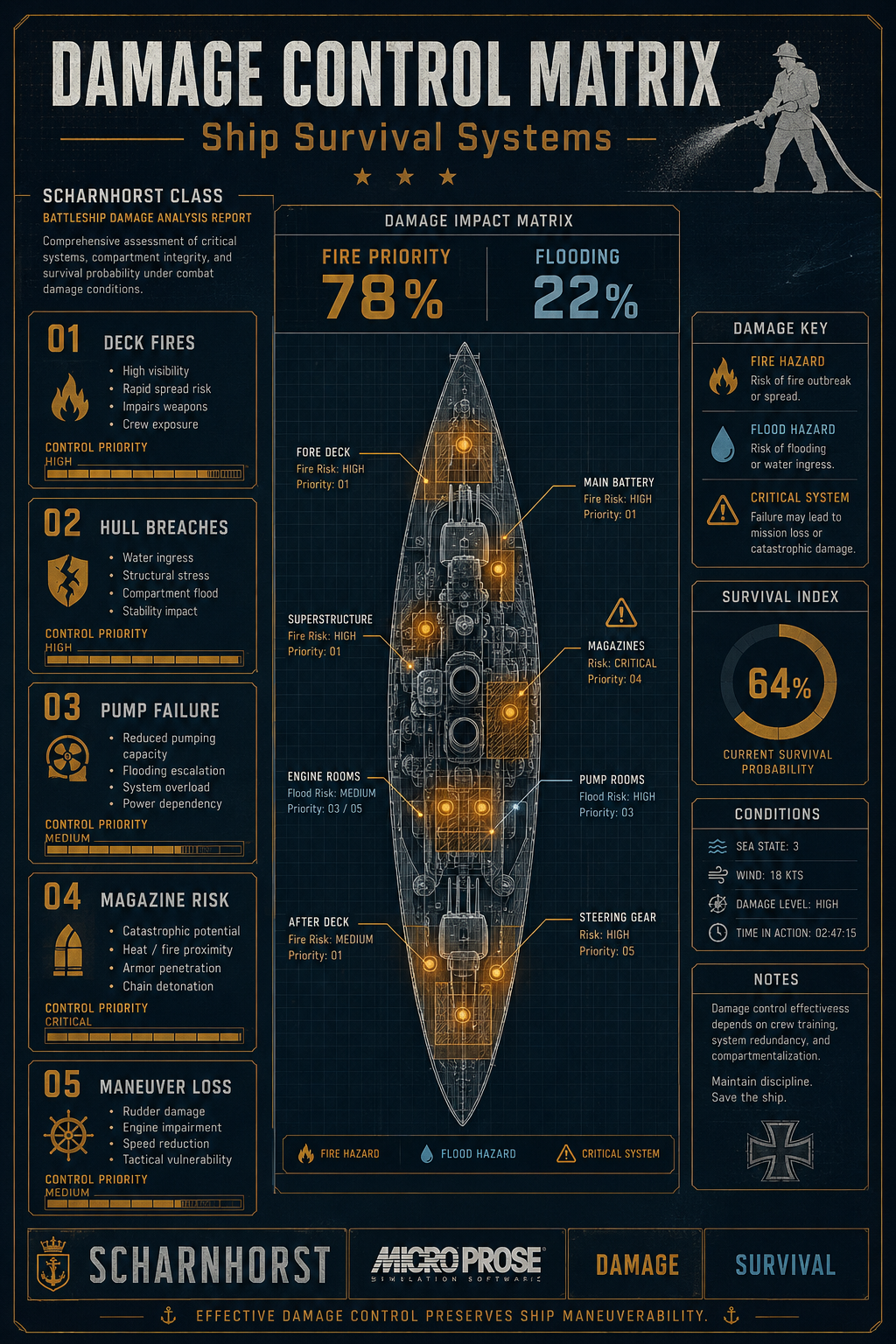
When combat initiates, your attention will be pulled in a dozen directions. However, early combat data from the game's veteran testers suggests a strict operational split: you should assign a "Fire Priority 78% / Flooding 22%" focus during the opening exchanges of a surface engagement. Fires spread rapidly through the upper decks and degrade your ability to fight back by blinding your rangefinders with smoke and disabling secondary turrets. Flooding, while lethal, usually happens slower unless you take a direct torpedo hit below the waterline.
Effective damage control preserves ship maneuverability. If the rudder jams or the engines lose power because the engineering spaces are filled with smoke and fire, you become a sitting duck for enemy destroyers.
How to Extinguish Deck Fires
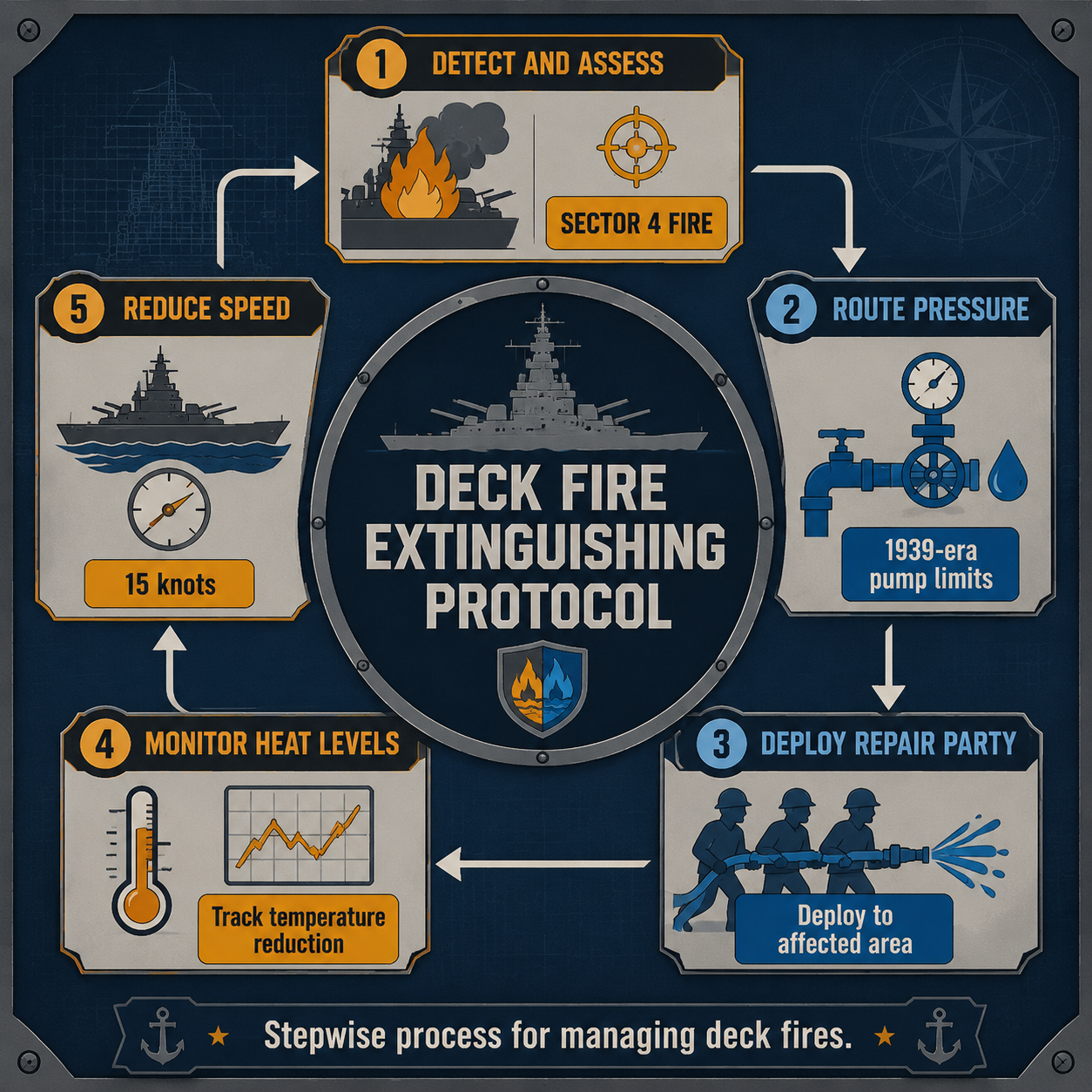
Putting out a fire on a World War II battleship is not as simple as clicking a single "repair" button. The game requires you to follow a specific "Deck Fire Extinguishing Protocol" to save the ship from burning to the waterline. Follow these steps when a fire breaks out:
- Detect and Assess: Identify the impact zone. If a British destroyer causes a "Sector 4 Fire" near your secondary battery, acknowledge the alarm immediately.
- Route Pressure: Open the damage control interface and route water pressure to the fire mains in that specific area.
- Deploy Repair Party: Assign an available damage control team to physically fight the flames.
- Monitor Heat Levels: The game meticulously simulates "1939-era pump limits". You cannot flood the entire deck simultaneously without losing hose pressure. Prioritize the most dangerous fires first.
- Reduce Speed: Drop your speed to "15 knots" or change course to prevent high winds from fanning the flames further aft.
This creates a brilliant tactical dilemma: do you slow down to save your ship from fire, making yourself an easier target for enemy gunners, or do you maintain speed and risk the fire spreading to the aviation fuel?
Flooding and Ship Handling: The Silent Killer
While fires are the most visible and immediate threat to your combat effectiveness, flooding is the silent killer that will drag the Scharnhorst to the bottom of the Atlantic. The game features a dynamic physics system where water ingress directly affects the ship's handling, buoyancy, and gunnery.
If an enemy shell or torpedo causes "water ingress on the starboard side causes a list". The ship will physically lean. This is not just a cosmetic effect. A severe list throws off the elevation of your main guns—your directors cannot compensate if the ship is leaning 10 degrees to starboard—and drastically reduces your turning circle. To counter this, "damage control parties must seal the bulkhead" immediately to stop the inflow.
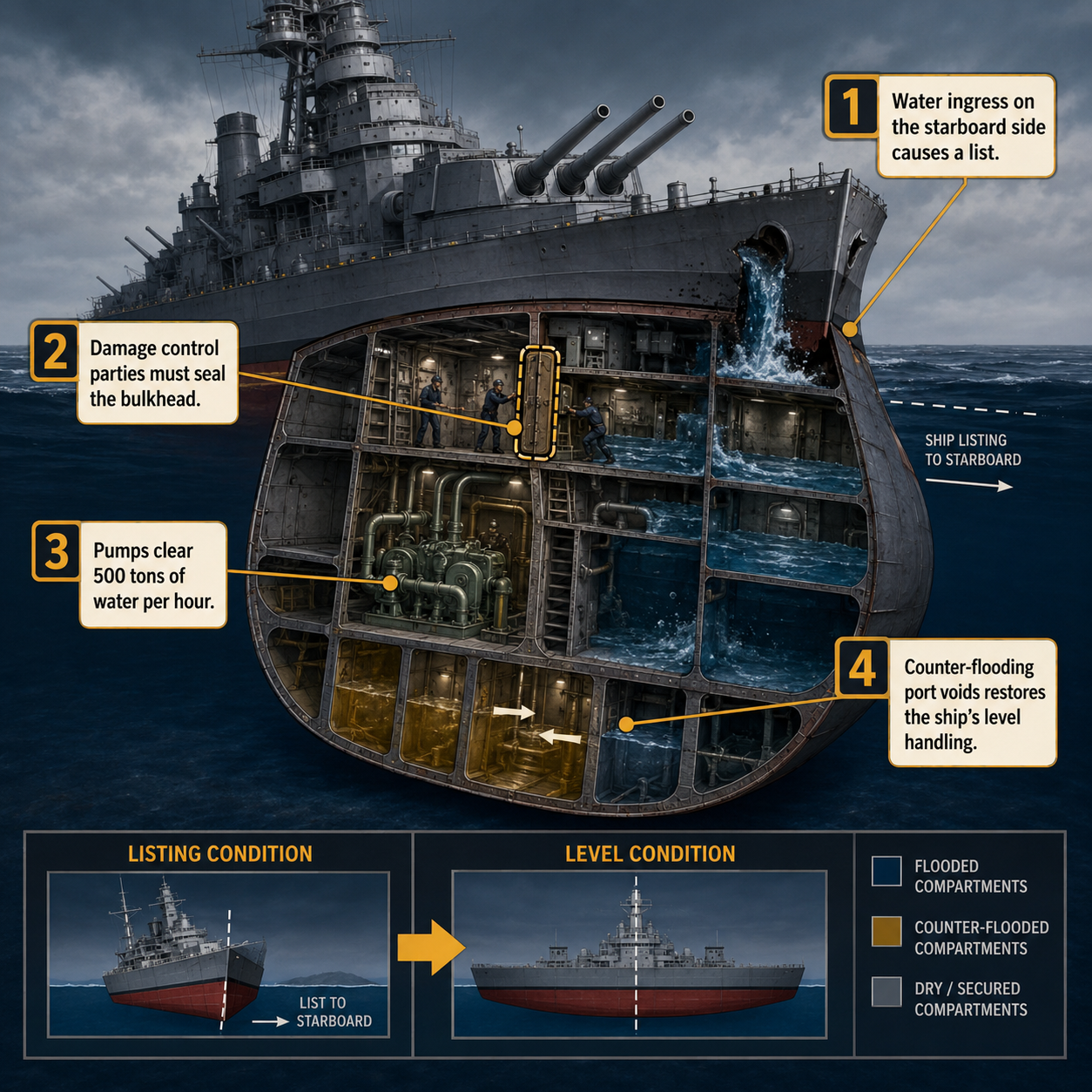
However, sealing the bulkhead only stops new water from entering. You still have to pump the existing water out. Your internal "pumps clear 500 tons of water per hour", but if the hole is too large, the pumps will be overwhelmed. In these desperate situations, you must order the counter-flooding of port voids. By intentionally letting water into the opposite side of the ship, "counter-flooding port voids restores the ship's level handling". You are sacrificing overall buoyancy and sitting lower in the water, but you keep your guns level and your propellers submerged. It is a brutal calculus of survival.
Advanced Fire Control: Battleship Command Survival Tactics
The true brilliance of Battleship Command lies in its dynamic environments and how they interact with the damage model. The weather is not just a visual filter; it is an active participant in your survival, especially during night engagements and severe storms.
Imagine a scenario where you take a massive hit, resulting in a "Fire in the aft superstructure!" The damage board is glowing, the alarm bell is ringing, and the gauge reads "Temperature Critical". Your repair parties are struggling, but the "Pressure is holding!" Just as the fire threatens to reach the aft magazine, the dynamic weather system rolls in a heavy Atlantic rainstorm at "0400 Hours". The torrential rain physically interacts with the fire simulation, helping your crew extinguish the blaze naturally.
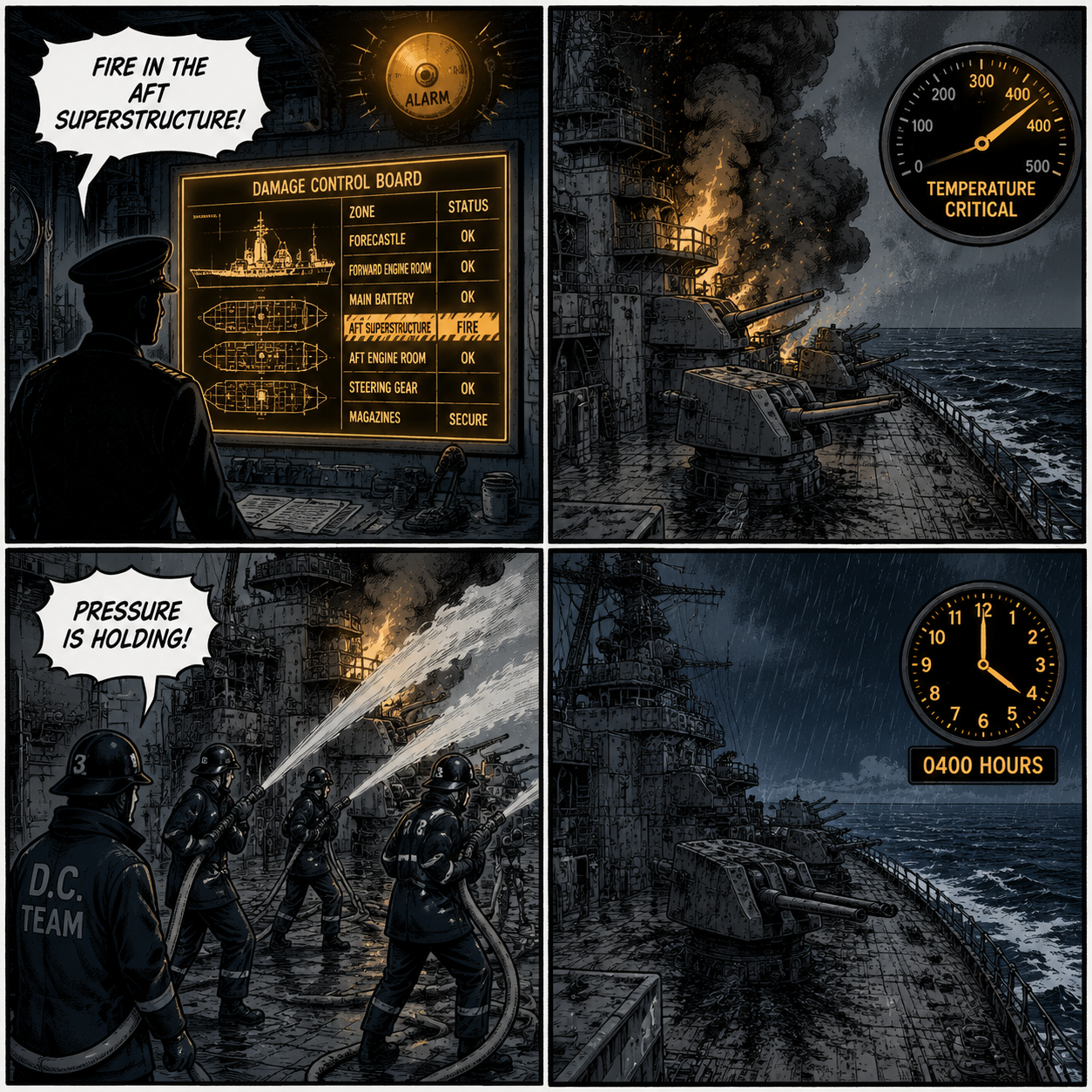
This level of simulation means you must use the environment to your advantage. If you are burning, steering into a squall is a legitimate tactical decision. Conversely, fighting in clear, dry weather means your damage control teams will have no help from nature.
Night battles introduce another layer of terror. A deck fire at night turns your ship into a glowing beacon. Enemy ships that would otherwise be blind in the dark can use the flames illuminating your superstructure as an aiming point. In these situations, extinguishing the fire isn't just about preventing module damage; it is about restoring your stealth. You must instantly divert all available crew to damage control, even if it means slowing your reload times, to plunge the ship back into darkness before the enemy fleet zeroes in on your position.
Frequently Asked Questions
How do you assign damage control parties in Battleship Command? You must open the damage control interface—usually accessed by physically walking to the damage control station on the bridge or hitting the designated hotkey—select an available repair team, and click on the flashing red (fire) or blue (flooding) sector on the ship's schematic to deploy them.
Does weather affect deck fires in the game? Yes. The game features a dynamic weather system that directly interacts with the physics engine. Heavy rain and storms will actively help extinguish deck fires, while high winds can fan the flames and cause them to spread to adjacent compartments if you are steaming at high speeds.
Why is my ship losing maneuverability? Maneuverability drops for two main reasons: either your engineering or rudder compartments are damaged (by fire or direct hits), or you have taken on too much water. A heavy list from flooding alters the ship's hydrodynamics, making it sluggish, unresponsive, and difficult to turn.
What is the difference between fire control and damage control? In naval terms, fire control refers to aiming the guns using rangefinders, radar, and analog computers. Damage control refers to putting out fires, fixing modules, and stopping flooding. In Battleship Command, you must master both systems simultaneously to survive.
Sources
- Battleship Command Steam Store Page and Early Access Patch Notes
- MicroProse Official Release Announcements (June 2026)
- Developer Bracer's Pre-Release Interviews and Devlogs