Wondering how to host multiplayer Banana of Doom? To get your private lobby running, launch the game on Steam or via Discord Activities, click "Host Game" on the main menu, select your preferred judging mode (either Player Votes or Mighty Banana God), and send the generated 6-digit invite code to your friends.
Since developer Playroom and publisher Little Umbrella dropped the game into Steam Early Access on June 1, 2026, this chaotic deckbuilder has rapidly monopolized game nights. However, because global matchmaking is currently undergoing heavy development to fix regional matching and queue handling, relying on public servers is a gamble. Setting up a private match is the only reliable way to ensure your session actually launches. Whether you are crafting ridiculous card combinations like "Robot Grandma" or ripping open fresh Doom Packs to expand your binder, mastering the lobby system is your first step to dominating the tournament.

This guide breaks down the exact mechanics of private room creation, the differences between the game's judging systems, and how to bypass the current Early Access network quirks so your group can actually play the game.
Step-by-Step: How to Host Multiplayer Banana of Doom on Steam
Setting up a session on PC or Steam Deck requires navigating a UI that is still actively being refined. Because the developers are currently prioritizing lobby stability over global matchmaking, the private room creation tool is thankfully robust.
To initialize a session, boot the game and look for the purple banner with pixel text on the main menu.
- Click Host Game to spin up a local instance on your machine.
- Select your lobby size. The game supports up to 8 players for a standard tournament.
- Choose your card sets. You will need to toggle which expansions (like the Doomed Zoo or Snack Attack packs) are active for the session.
- Generate the invite code. The game will display a 6-digit alphanumeric code on the screen.
- Distribute this code to your friends. They will need to click "Join Game" on their own main menus and input the string.
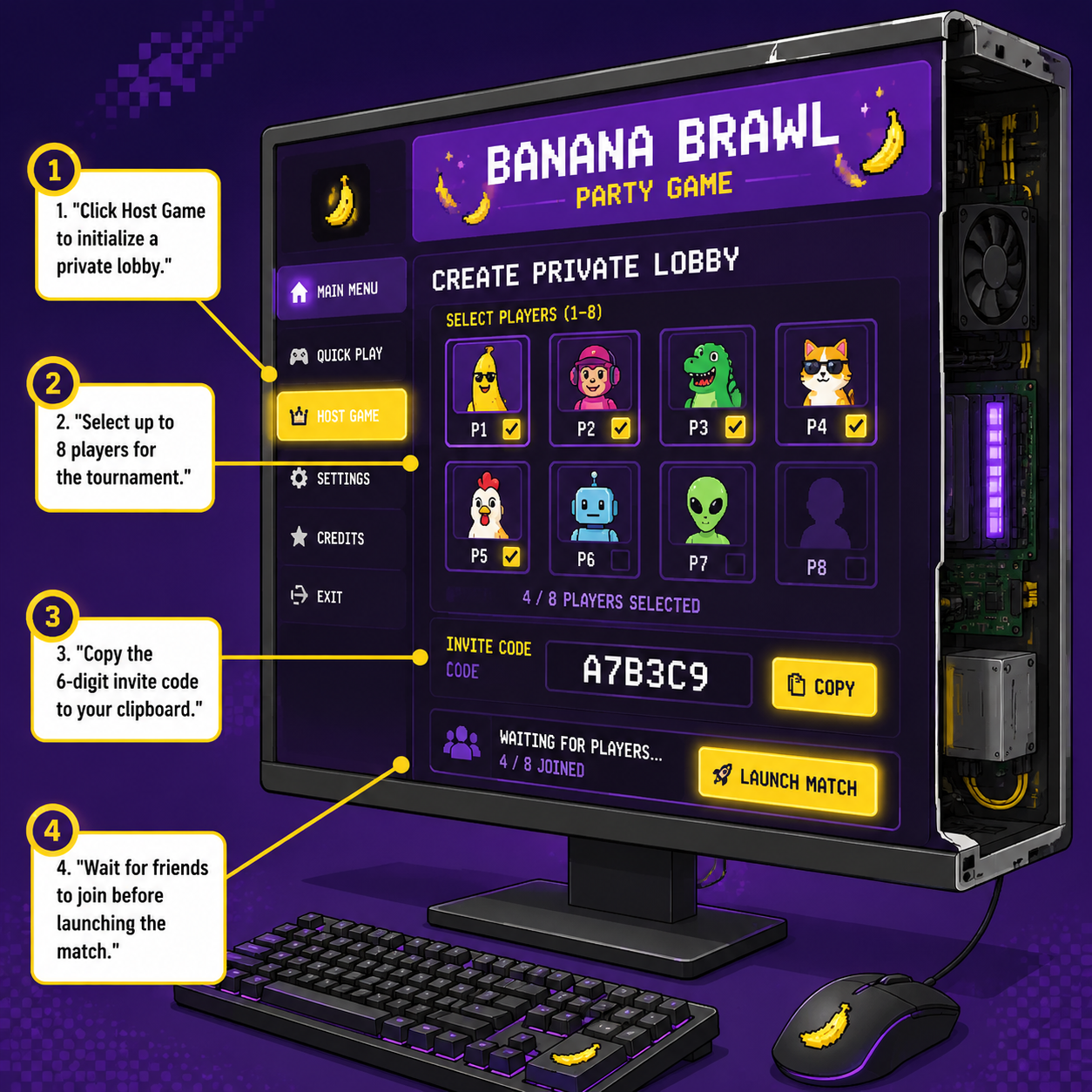
If you are playing on a Steam Deck, the controls for this interface were fully mapped back during the February 2026 Steam Next Fest. You can use the touchscreen to quickly copy the 6-digit code to your clipboard and paste it directly into a Steam chat window.
Do not use the native Steam Overlay "Invite to Game" feature right now. Early Access routing issues frequently cause overlay invites to time out, leaving your friends staring at an infinite loading screen. Stick to the 6-digit code.
Discord Integration: How to Host Multiplayer Banana of Doom in Voice Channels
Little Umbrella previously built the massive social hit Death by AI, giving them deep pedigree in Discord integration. Before hitting Steam, Banana of Doom ran a highly successful beta directly inside Discord Activities, and that infrastructure remains one of the best ways to play.
If you want to bypass Steam entirely, you can host the game natively inside a Discord voice channel.
To do this, join a voice channel and click the App Launcher (the Rocket icon) at the bottom of the screen. Search for Banana of Doom and launch the activity. This method automatically creates a lobby and invites anyone currently sitting in the voice channel.
Hosting via Discord Activities carries a massive advantage: your friends do not need to download the game or own a Steam copy. The game streams directly through the Discord client. The trade-off is that the Discord version occasionally lags behind the Steam Early Access build in receiving new premium Doom Packs, but for a frictionless game night, it is unbeatable.
Custom Rules: How to Host Multiplayer Banana of Doom with AI Judges
Once your friends are in the lobby, the host must make the most critical decision of the night: choosing the judge. The game offers two distinct modes for evaluating the absurdity of your card combos, and your choice completely changes the meta of the match.
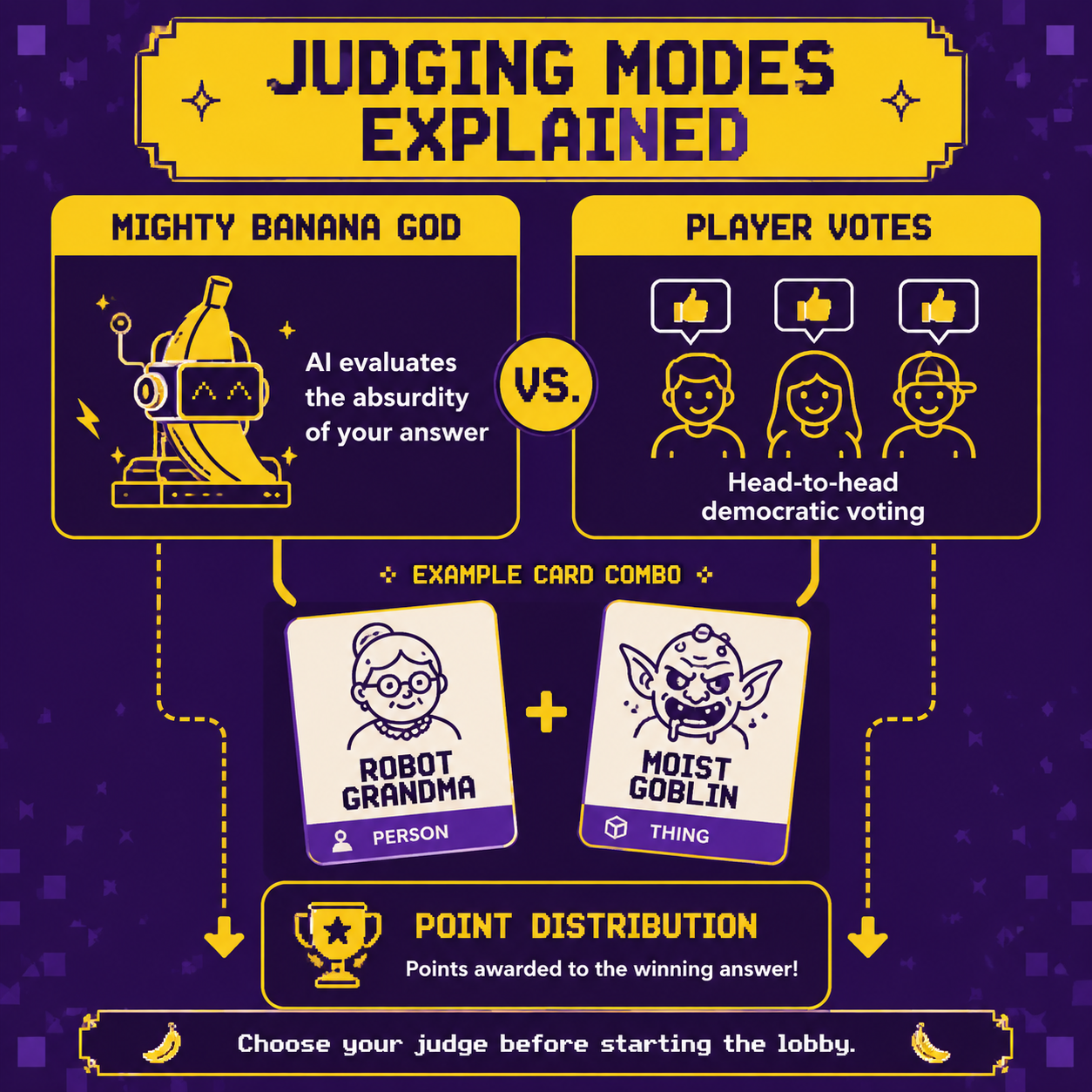
The Mighty Banana God (AI Judge)
This is the flagship feature of the game. If you select the Mighty Banana God, an Artificial Intelligence evaluates the semantic meaning of the cards played.
For example, if the challenge contest asks, "Which is more likely to end the world?" and Player A submits "Robot Grandma" while Player B submits "Moist Goblin," the AI actually reads and interprets those concepts. It might deduce that a Robot Grandma possesses the technological capability to access nuclear launch codes, whereas a Moist Goblin is merely a localized nuisance that ruins carpets.
The AI does not just silently award points; it generates a live, taunting explanation of its logic. It will openly mock players for weak combos and praise deranged creativity.
Player Votes
If you prefer the traditional Cards Against Humanity or Jackbox experience, switch the lobby to Player Votes. In this mode, the AI steps back, and the lobby engages in head-to-head democratic voting.
| Feature | Mighty Banana God | Player Votes |
|---|---|---|
| Judging Entity | Artificial Intelligence | Human Players |
| Pacing | Fast, automated decisions | Depends on player deliberation |
| Humor Style | Unpredictable, literal interpretations | Inside jokes, group meta |
| Best For | Small groups, streamers | Large parties, close friends |
Hosting a lobby with Player Votes is highly recommended if your group relies heavily on inside jokes, as the AI will not understand why your specific friend group finds a particular phrase hilarious.
Deckbuilding and Doom Packs: Equipping Your Lobby
Unlike static party games, Banana of Doom features a persistent card crafting and collection system. As players complete tournaments, they earn coins to rip open booster packs and expand their personal binders.
When you host a lobby, the game pools the unlocked cards of everyone in the room, but the host has the final say on which thematic packs are injected into the deck. The base game includes over 200 playing words, but the real chaos lives in the expansions.
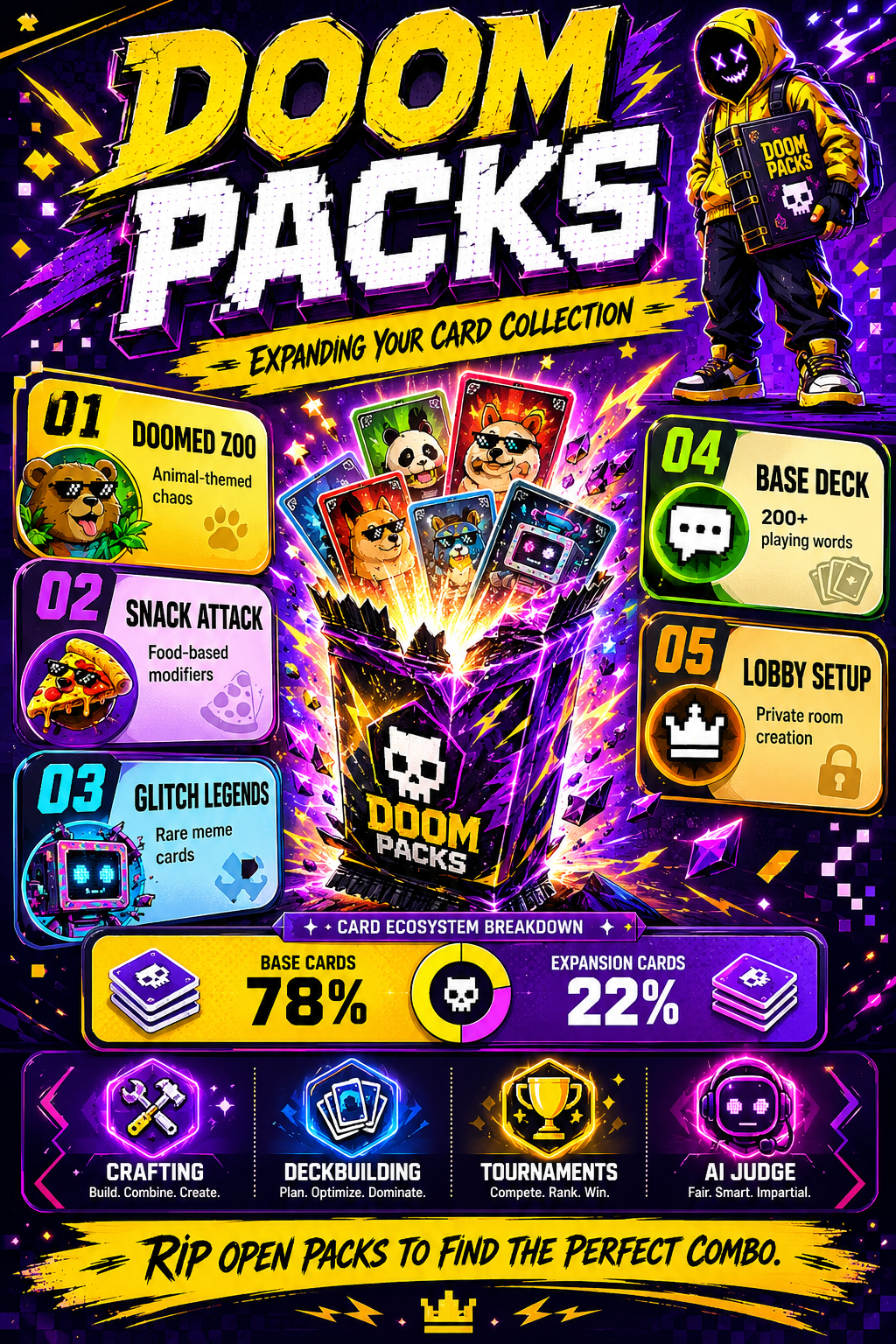
Currently, the Steam Early Access build features three primary Doom Packs:
- Doomed Zoo: Injects animal-themed chaos into the deck. Essential for creating bizarre hybrid creatures.
- Snack Attack: Food-based modifiers that turn mundane scenarios into culinary disasters.
- Glitch Legends: A premium set of rare internet culture memes and highly specific digital references.
As the host, you should tailor the active packs to your audience. If you are playing with a mainstream crowd, the Base Deck and Snack Attack provide universally understood concepts. If you are streaming to an audience deeply entrenched in internet culture, enabling Glitch Legends is mandatory.
Troubleshooting Lobbies in the June 2026 Early Access Build
The reality of playing an Early Access title is that things will break. The developers have been transparent about the current state of the game's networking. In their June 1 release notes, Playroom stated: "Global matchmaking is currently under development and will require additional work to properly support regional matching, new game mode selections, and improved queue handling."
If your private lobby crashes or players fail to connect, follow this checklist:
- Host Connection: The player with the most stable fiber connection should host. The AI generation for the Mighty Banana God mode requires constant server communication; a host with high packet loss will cause the AI's dialogue to desync.
- Steam Deck Proton: If a Steam Deck user experiences UI glitches on the purple banner or cannot see the 6-digit code, force the game to run on Proton Experimental via the Steam properties menu.
- Card Sync Errors: Occasionally, a player will combine two words, but the lobby only sees one. This is a known Early Access bug. The host should pause the game, wait 10 seconds for the server to catch up, and resume.
FAQ: How to Host Multiplayer Banana of Doom
How many players can join a Banana of Doom lobby? A standard private lobby supports up to 8 active players. Additional players can join via Discord Activities as spectators, though spectator interaction is currently limited.
Do all players need to own the game on Steam? If you are playing the native Steam version, yes, every player needs a copy in their library. However, if you host the game via Discord Activities, only the host needs to initiate the app, and anyone in the voice channel can play for free.
Can I play Banana of Doom solo? Yes. The game features a "Singleplayer" tag on Steam. You can host a local game and test your deck combinations against the Mighty Banana God AI without inviting other players, which is an excellent way to grind coins for Doom Packs.
Will crossplay be supported between Steam and Discord? The developers have indicated that unifying the player base is a priority, but currently, Steam lobbies and Discord Activity lobbies operate on separate matchmaking infrastructures. Stick to one platform per session to ensure stability.